Is Dext Overkill If You Are Just One Person? An Honest Look
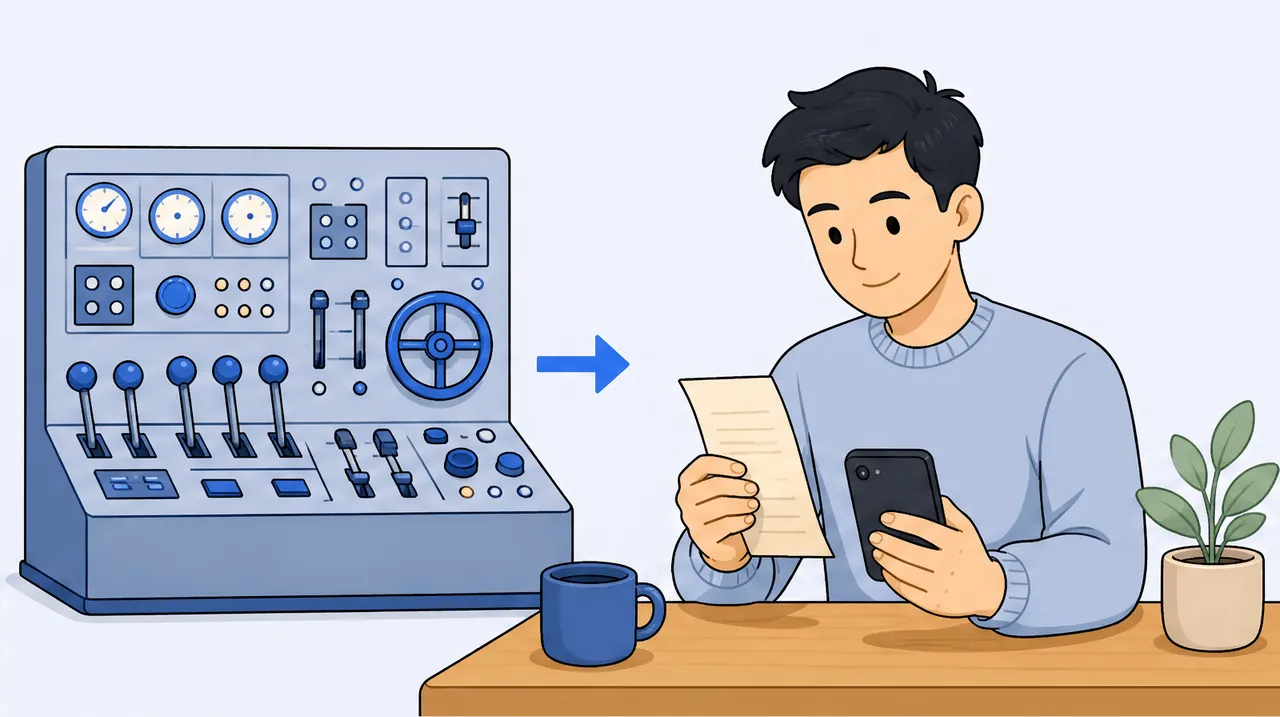
For most solo freelancers, Dext is overkill. It is a genuinely strong tool, with automatic line-item extraction, sync to 30-plus accounting platforms, and firm-grade accuracy, but it is built and priced for accounting firms: quote-based, per-client, with a roughly 10-client minimum (about a $2,124 USD floor as commonly quoted) and no standing free tier. It also publishes to a ledger rather than mapping to a personal Schedule C or T2125. If you are one person who needs receipts read, tax-categorized, and searchable, a focused solo tool fits better and costs far less.
You have probably seen Dext recommended in bookkeeping circles and wondered if you are missing out. The worry underneath the question is fair: if the pros use it, maybe you should too, and maybe the tool you are using is the budget option that will eventually let you down at audit time. So let me answer the real question honestly, including the parts that are not in scan-ai's favour, because Dext is good and pretending otherwise would not help you decide.
The short version: Dext is excellent, and for one person it is almost always more machine than you need. Below is what it does genuinely well, then where the fit breaks for a single freelancer, then how to think about the choice without overpaying for capability you will never use.
What Dext does genuinely well
Start with the strengths, because they are real and they are the reason firms standardize on it.
Dext (formerly Receipt Bank) reads the individual purchase lines off a receipt or invoice automatically. This is the same capability scan-ai is built around, and it is rare: most mass-market scanners capture only the header (merchant, date, total) and leave the line split to you. Dext's Line Item Extraction pulls each line out on its own, which matters when one receipt covers several different expense categories.
It also syncs into a long list of accounting platforms (Dext advertises connections across many of the major ledgers), so a bookkeeper can capture a client's documents and publish them straight into Xero, QuickBooks, Sage, or similar without rekeying. And it is built to firm-grade accuracy and review standards, with workflows for approving, querying, and batching documents across many clients at once. If your job is processing other people's paperwork at volume, that machinery is worth paying for.
None of that is marketing fluff. If you run a bookkeeping practice, Dext is purpose-built for you, and this post is not trying to talk you out of it.
Where the fit breaks for one person
Now the mismatch, which is structural, not a knock on quality.
It is sold to firms, priced per client. Dext's practice plans are quote-based and priced per client, with a 10-client minimum. As one person, you are a single client, so you do not slot into the model the product is designed around. You would be buying into a per-seat, per-client structure built for someone managing a roster.
That minimum sets a real floor. Because pricing is quote-based and per-client with a 10-client minimum, the realistic entry cost is far above a solo tool. A figure of roughly $2,124 USD per year is commonly cited as the practice-plan floor, and while quotes vary by region and negotiation, the shape is clear: this is hundreds of dollars a month, not a few dollars. Confirm any number directly with Dext, since quote-based pricing changes and is not published as a fixed rate.
It maps to a ledger, not your tax form. Dext captures and categorizes, then publishes into accounting software. That is exactly right for a firm feeding a bookkeeping workflow, but it is not a per-receipt map to the lines a sole proprietor actually files: US Schedule C or Canada T2125. The categorization lands in a chart of accounts a bookkeeper maintains, not on the deduction lines you fill in yourself.
Line-item extraction is metered. Even the feature you would most want as a solo filer, automatic line extraction, spends per-document credits on firm plans. So the one capability that overlaps with what you need comes with usage accounting attached.
There is no standing free tier. Dext offers a free trial, but no permanent free plan to test a workflow at $0 over a real month of receipts.
| What you are comparing | Dext | A solo-filer receipt tool |
|---|---|---|
| Who it is built for | Accounting and bookkeeping firms | One freelancer or self-employed person |
| Pricing model | Quote-based, per client, 10-client minimum | Flat low monthly, or free to start |
| Realistic entry cost | Hundreds per month (a ~$2,124/yr floor is commonly cited) | $0 to about $10/month |
| Line-item extraction | Yes, but metered with per-document credits | Yes, on every plan, not metered |
| Output | Publishes to a ledger (Xero, QuickBooks, etc.) | Maps each line to Schedule C / T2125 |
| Free tier | Trial only | A real free tier exists |
Prices and capabilities verified June 2026 from Dext's own pages; quote-based figures change, so confirm with the vendor.
So who should actually buy Dext
This is the clean line. Buy Dext if you are a firm, or you are heading toward managing multiple clients' books and you want one system that captures, reviews, and publishes documents at volume into accounting software. In that world, the per-client model is not a tax, it is the whole point, and the line-item credits are a rounding error against the labour they save.
Do not buy Dext if you are one self-employed person whose actual job is to turn your own pile of receipts into tax-ready records you can search and ask about. You would be paying a firm-scale price, fitting your single business into a roster-shaped plan, and getting output aimed at a bookkeeper's ledger rather than your Schedule C or T2125. The capability is real; the fit is not.
What "right-sized" looks like for a solo filer
If the strengths you actually want are line-by-line reading and clean tax categorization, you can get both without the firm overhead. scan-ai reads every line on a receipt and gives each line its own tax category on every plan (not metered), and it maps those lines to US Schedule C and Canada T2125, the forms a sole proprietor files. It starts free with 20 receipt scans and 5 AI chats and no credit card, then $3/month (Starter) or $10/month (Pro). That $10 ceiling is the whole bill, not a per-client rate.
It is also honest about the trade: scan-ai does not sync into 30-plus accounting platforms, it is not built for firm-scale review queues, and it is not a full ledger. If you need those, Dext (or pairing a solo tool with real accounting software) is the right call. For one person turning receipts into deductions, the focused tool does the job for a fraction of the cost. The side-by-side detail is in scan-ai vs Dext, and the wider field is covered in the best receipt app for freelancers in 2026.
Whichever you pick, the deduction work is the same: capture every line, put it on the right tax line, keep the record. If you want to see what that capture looks like for your trade, the deduction finder shows the commonly missed lines for rideshare drivers, creatives, consultants, resellers, agents, and tutors, mapped to the exact Schedule C and T2125 codes.
Frequently asked questions
Does Dext have a plan for a single self-employed person? Dext's main pricing is built around practice (firm) plans that are quote-based and priced per client, with a 10-client minimum. As one person you are a single client, so you do not fit the model the product is designed around. Confirm current options directly with Dext, since quote-based pricing changes.
How much does Dext cost for one person? Because pricing is quote-based and per-client with a 10-client minimum, the realistic floor is hundreds of dollars a month. A figure of roughly $2,124 USD per year is commonly cited for the practice-plan floor, but it varies by region and negotiation, so verify with Dext. There is no standing free tier, only a free trial. Prices as of June 2026 and subject to change.
Is Dext's line-item extraction free? No. Dext does extract receipt and invoice lines automatically, which is a genuine strength, but on firm plans that Line Item Extraction is metered with per-document credits. A solo tool like scan-ai reads each line and tax-categorizes it on every plan without metering.
Does Dext map receipts to Schedule C or T2125? Not directly. Dext captures and categorizes, then publishes into accounting software, where the categorization lands in a bookkeeper-maintained chart of accounts. It is not a per-receipt map to the US Schedule C or Canada T2125 lines a sole proprietor files themselves.
What is a cheaper Dext alternative for a freelancer? For the specific job of reading receipts line by line and categorizing them to tax lines, scan-ai does that starting free and topping out at $10/month, with line extraction on every plan. It is not a firm tool and does not sync into many accounting platforms, so if you need that breadth, Dext fits better. See scan-ai vs Dext for the full comparison.
Is Dext overkill for a side hustle? For most side hustles and solo businesses, yes. The per-client, firm-scale pricing and ledger-publishing workflow are built for processing many clients' documents. One person rarely needs that and will usually overpay for capability they will not use.
Start free, no credit card
If you are a firm, or you are about to manage several clients' books, look hard at Dext. It is built for exactly that and it is good at it. This post is not a takedown of a strong product.
If you are one person who just needs receipts read line by line, sorted to Schedule C or T2125, and searchable later, you do not need a firm-scale tool to do it. scan-ai does that job, free to start with 20 scans and no credit card, and $10/month at most. Snap or forward a receipt and see whether the right-sized tool covers what you actually do.
This article is general information, not tax advice. Tax rules change and depend on your specific situation. Confirm anything with real stakes with a qualified accountant or tax professional.
How scan-ai compares
For one specific job, turning a pile of receipts into tax-ready, categorized records you can ask questions about, scan-ai is the cheapest option here and the one built around the Canadian T2125 and US Schedule C tax lines. It also reads every line on a receipt and gives each line its own tax category, on every plan, where the mass-market tools here (Expensify, QuickBooks, Wave, Shoeboxed) capture only the header total. Dext extracts lines too, but meters that feature and sells to firms. scan-ai starts free with 20 scans and no credit card, and tops out at $10/month for unlimited receipts.
| Tool | Entry price | Free tier | Line-item capture | T2125 / Schedule C tax lines | Ask-your-receipts chat | Built for |
|---|---|---|---|---|---|---|
| scan-ai | Free, then $3/mo (Starter) or $10/mo (Pro), USD | Yes. 20 receipt scans + 5 AI chats, no credit card | Yes. Reads every line on the receipt and gives each its own tax category, on every plan | Yes. Maps each receipt to US Schedule C and Canada T2125 lines | Yes. Ask your own receipts anything in plain language | One freelancer or self-employed person (US + Canada) |
| Expensify | $5 / member / month (Collect plan); Control tier costs more, USD | Mostly paid per member; limited free use | No. SmartScan captures the header: merchant, date, and amount | Not built around Schedule C / T2125 lines (US expense management) | Concierge automates expense tasks; not receipt Q&A | Teams and corporate-card programs |
| Dext (Receipt Bank) | Quote-based; practice plans priced per client, 10-client minimum | Free trial only | Yes, but metered. Line Item Extraction is automatic but spends per-document credits on firm plans | Captures and categorizes, then publishes to accounting software; not a sole-proprietor T2125 map | Not stated | Accounting and bookkeeping firms |
| Shoeboxed | $9 to $179 / month (Starter to Paper Plus), USD | No free plan (30-day money-back guarantee) | No. Captures header fields per receipt: vendor, total, date, and tax | Auto-tags expenses by tax category; T2125 / Schedule C line mapping not stated | Not stated | Receipt digitizing, including mail-in paper scanning |
| QuickBooks Online (Canada) | ~$22 CAD / month regular for EasyStart, the entry plan; intro discounts vary | Free trial only | No. Receipt capture pulls date, vendor, and total; splitting into lines is manual | Full accounting that organizes for tax time, not a per-receipt T2125 line map | Intuit Assist AI rolling out; not focused on receipt Q&A | Full accounting, invoicing, and payroll |
| Wave | Free; Pro $19 USD / $25 CAD per month. Receipt capture is an $11/mo add-on on the free plan | Yes, but receipt capture is a paid add-on or Pro-only | No. OCR fills date, amount, and category; no per-line breakdown | Bookkeeping categories; not built around T2125 / Schedule C lines | Not stated | Free accounting and invoicing |
The bigger suites do things scan-ai does not: bank-feed import, invoicing, and payroll. On mileage, scan-ai logs trips manually, applying the IRS standard rate to US trips and totalling business kilometres for Canadian ones, but it does not detect trips automatically by GPS the way a dedicated tracker does. scan-ai stays focused on reading receipts, categorizing them to the right tax line, and answering questions about them, priced for one freelancer rather than a team. If you want a full accounting system, pair scan-ai with one or pick a suite. If you mainly need your receipts read, categorized, and searchable, scan-ai does that for less.
Sources, verified June 2026 (prices change; check each vendor)
- scan-ai: scan-ai pricing
- Expensify: Expensify: $5 Collect plan announcement; Expensify pricing; Expensify SmartScan: pulls merchant, date, amount
- Dext (Receipt Bank): Dext pricing (business); Dext plans for accountants and bookkeepers; Dext Line Item Extraction (credit-metered)
- Shoeboxed: Shoeboxed pricing; Shoeboxed: data captured per receipt
- QuickBooks Online (Canada): QuickBooks Online Canada plans and pricing; QuickBooks Online EasyStart (Canada); QuickBooks: receipt capture pulls date, vendor, total
- Wave: Wave pricing; Wave: scan and upload receipts (date, amount, category)