QuickBooks vs Wave: Which Accounting Suite Fits Your Small Business?
Pick Wave if you want free core accounting and invoicing on a tight budget and you are fine paying separately for receipt capture. Pick QuickBooks if you want more depth, payroll, and a wider integration ecosystem, and you will pay for it. Both are real accounting suites. The deciding details are how much you will outgrow free, and what receipt capture costs on each.
If you run a small business or freelance on your own, you have probably landed on the same fork everyone hits: QuickBooks or Wave. The shorthand is "paid versus free," and that shorthand is mostly right. But it skips the part that trips people up after they commit, which is what the day-to-day actually costs once you add the pieces you need.
Both are real accounting suites. Both handle invoicing, double-entry books, and the records your accountant wants at tax time. The honest question is not "which one is better," because that depends on how complex your business is. The better question: how much accounting do you actually need, will you outgrow free, and what does each charge for the things you use most. Receipt capture is a good example, because it is free on one plan and not the other, and that single line item changes the math more than most people expect.
This guide covers where each suite genuinely wins, the real entry prices as of June 2026, and how to pick. Prices move, so treat the numbers as a snapshot and check the source links before you buy.
At a glance
Here is the focused version for this matchup. Numbers are the vendor's own, read in June 2026.
| QuickBooks Online (Canada) | Wave | |
|---|---|---|
| Entry price | ~$22 CAD / month regular for EasyStart, the entry plan; intro discounts vary | Free core accounting; Pro is $19 USD / $25 CAD per month |
| Free tier | Free trial only | Yes, but receipt capture is a paid add-on or Pro-only |
| Receipt capture | Included in the plan | $11/mo add-on on the free plan, or part of Pro |
| Built for | Full accounting, invoicing, and payroll | Free accounting and invoicing |
| Tax-line categorization | Full accounting that organizes for tax time, not a per-receipt T2125 line map | Bookkeeping categories; not built around T2125 / Schedule C lines |
| Ask-your-data chat | Intuit Assist AI rolling out; not focused on receipt Q&A | Not stated |
The takeaway from the table: Wave's headline is "free," but the receipt-capture line is where the free story gets an asterisk. QuickBooks bundles more in from the start, and charges for it from the start.
Where QuickBooks is genuinely better
QuickBooks earns its price on depth and reach. If your business is growing, or already has moving parts, this is where it pulls ahead and Wave does not follow.
Payroll and a deeper feature set. QuickBooks Online is built for full accounting, invoicing, and payroll. If you have employees or contractors to pay, or you expect to soon, that matters. Wave's core strength is bookkeeping and invoicing, not running a payroll operation at the same scale.
The integration ecosystem. QuickBooks is the default most accountants, bookkeepers, and third-party apps already speak. If you plan to hand your books to a professional, there is a real chance they live in QuickBooks already, which removes friction at tax time. That network effect is genuine and Wave does not match it.
Plan headroom. EasyStart is the entry tier at roughly $22 CAD per month regular, with intro discounts that vary. Above it sit plans with more users, more reporting, and more capability, so you can grow inside QuickBooks without switching software.
The trade-off is simple: there is no free QuickBooks tier, only a free trial. You pay from day one, and you pay more as you scale. For a very small or brand-new operation, that can be more suite than the moment calls for.
Where Wave is genuinely better
Wave's case is just as real, and it is mostly about cost and simplicity for a small operation.
Free core accounting and invoicing. This is the headline and it holds up. Double-entry accounting and unlimited invoicing at no monthly cost is a strong base for a freelancer or a very small business. For a lot of people, that free tier covers the actual job for a long time.
A long track record. Wave has been a fixture in small-business accounting for years, so the free posture is not a fragile new bet. That history is a fair point of reassurance if you are wary of building your books on something that might vanish.
Less to learn. Wave is lighter than QuickBooks by design. If you do not need payroll, deep reporting, or a sprawling integration list, the simpler tool is the better tool, and you are not paying for capability you will never open.
The honest catch, and it is the one thing that has shifted: receipt capture is no longer part of the free deal. On the free plan it is an $11 a month add-on, or it comes bundled in Wave Pro at $19 USD / $25 CAD per month. If receipt scanning was the reason Wave looked free to you, price that line in before you decide, because it changes the comparison.
What receipt capture actually costs on each
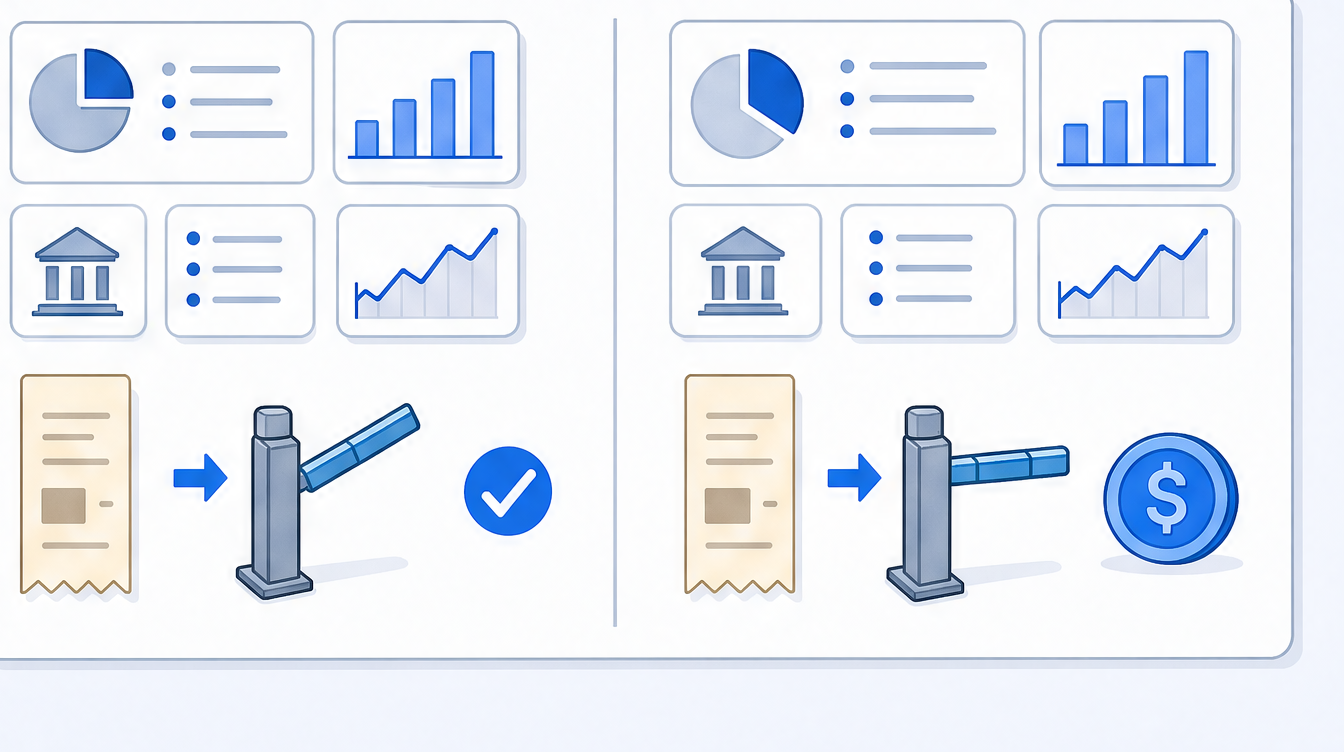
Because so many people pick an accounting suite partly for receipt scanning, it is worth pulling that one thread out and looking at it directly.
On QuickBooks, receipt capture comes with the plan. You are paying from roughly $22 CAD a month for EasyStart, but the scanner is in the box. QuickBooks describes its product as full accounting that organizes for tax time, rather than a per-receipt map to specific tax lines, so the receipt feature is one piece of a larger bookkeeping system, not the main event.
On Wave, the core books are free, but receipt capture sits behind a paywall: $11 a month as an add-on, or folded into Pro at $19 USD / $25 CAD. So the suite that looks cheaper on paper is not necessarily cheaper for the specific thing you wanted, once you add the scanner back in.
The point is not that either is wrong. It is that "free" and "paid" stop being clean labels the moment you list the features you will actually use. Compare the bundles you need, not the headline price. We go deeper on the receipt-specific angle in scan-ai vs Wave for receipts and scan-ai vs QuickBooks for receipts if that is the part you care about most.
If receipts-to-tax-categories is your real need
Here is a quieter possibility worth raising, because it changes the question rather than answering it.
If you do not actually need full books, payroll, or invoicing, and what you really want is to turn a pile of receipts into tax-ready, categorized records, then buying a whole accounting suite to get a receipt scanner is the wrong shape of solution. You would be paying for a general ledger you never open just to digitize receipts.
That focused job is what scan-ai does. It reads each line on a receipt, maps it to US Schedule C and Canada T2125 tax lines, and lets you ask your own receipts questions in plain language. On the receipt itself, neither QuickBooks nor Wave reads the individual purchase lines; both capture the header total and leave any line split to you. It starts free with 20 scans and no credit card, and tops out at $10 a month. It is not accounting software, so it does not replace QuickBooks or Wave for books, invoicing, or payroll. It is a focused receipt-and-tax-categorization layer that runs alongside whichever suite you pick. The tax-line categorization is illustrative help for organizing records, not tax advice.
To be plain about what is not shipped: scan-ai does not do bank-feed import, invoicing, or payroll, its mileage log is manual rather than automatic (you enter each trip and it applies the standard rate), and the native mobile apps are a beta still in testing, not a public app-store release. It runs in any mobile browser today. That is a narrower job than what either suite does.
Can you use both?
Yes, and for a fair number of people that is the right answer.
You can keep your books in Wave or QuickBooks and use a dedicated tool for the receipt-to-tax-category step, then hand the clean records to your suite or your accountant. This is especially sensible if you like your current suite for invoicing but find its receipt handling clunky or, in Wave's case, an extra charge. The suites are good at being books. A focused receipt tool is good at reading receipts and sorting them to tax lines. No rule says one tool has to do everything.
How this page was sourced
The QuickBooks and Wave facts here were read from each company's own pricing and product pages in June 2026, not from competitor marketing, old blog posts, or memory. QuickBooks numbers come from Intuit's Canadian pricing and EasyStart pages; Wave numbers come from Wave's pricing page:
- QuickBooks Online Canada plans and pricing: https://quickbooks.intuit.com/ca/pricing/
- QuickBooks Online EasyStart (Canada): https://quickbooks.intuit.com/ca/online/easystart/
- Wave pricing: https://www.waveapps.com/pricing
Pricing in this category moves fast, and Wave in particular has changed how receipt capture is packaged. If a number here looks off against what you see on the vendor's site today, trust the vendor's page and let us know so we can recheck it. Where a vendor did not state something clearly, this page says "not stated" rather than guessing.
Who should pick which
Pick Wave if you are a freelancer or very small business on a tight budget, you want free double-entry accounting and invoicing, and you either do not need receipt capture or you are fine paying the $11 add-on for it. The free core is genuinely strong, and its long track record is reassuring.
Pick QuickBooks if you need more than basic books: payroll, deeper reporting, a wide integration ecosystem, or simply the suite your accountant already uses. You will pay from roughly $22 CAD a month for EasyStart with no free tier, but you get depth and room to grow that Wave does not match.
If, after reading both, you realize the only reason you were shopping for an accounting suite was to digitize receipts for taxes, neither is the most efficient buy. A focused receipt tool alongside free Wave, or no suite at all, may be the cleaner setup.
Frequently asked questions
Is Wave really free? The core accounting and invoicing in Wave is free, and that part is genuinely free with no trial clock. The catch is that receipt capture is not included on the free plan. It costs an $11/mo add-on, or it comes with Wave Pro at $19 USD / $25 CAD per month. So Wave is free for books and invoicing, but not for everything people assume.
How much does QuickBooks cost in Canada? The entry plan, EasyStart, runs about $22 CAD per month at the regular rate, though intro discounts vary. There is no permanently free QuickBooks tier, only a free trial. Higher plans cost more and add users, reporting, and payroll capability.
Does receipt scanning cost extra in Wave or QuickBooks? On QuickBooks, receipt capture is included in the plan you are already paying for. On Wave, it is an $11/mo add-on on the free plan, or part of Wave Pro. So the suite that looks cheaper up front is not automatically cheaper once you add receipt scanning back in.
Is QuickBooks or Wave better for a freelancer? It depends on complexity. If you want free basic books and simple invoicing and you watch your costs, Wave is a strong fit. If you need payroll, deeper reporting, or the integration ecosystem most accountants use, QuickBooks is worth the price. Neither is wrong; they suit different stages.
Can I switch from Wave to QuickBooks later? Yes, businesses move between accounting tools, though it takes some setup and data transfer. Many people start on free Wave and move to QuickBooks as they add employees or need more reporting. If you expect to outgrow basic books soon, factor that future switch into your decision now.
Do QuickBooks or Wave map receipts to T2125 or Schedule C lines? Not as a per-receipt tax-line map. QuickBooks is full accounting that organizes for tax time, and Wave uses bookkeeping categories; neither is built specifically around the Canadian T2125 or US Schedule C lines. If per-receipt tax-line categorization is your priority, a focused receipt tool handles that job more directly.
Which is better if I just need to scan receipts for taxes? Honestly, neither, if that is the only thing you need. Buying a full accounting suite to get a receipt scanner is more software than the job requires. A dedicated receipt-to-tax tool, run on its own or alongside free Wave, is the better-shaped answer for a pure receipt-to-tax-category workflow.
Start with the job you actually have
QuickBooks and Wave are both legitimate accounting suites, and the right pick is the one that matches how complex your business really is. Wave for free, simple books on a budget. QuickBooks for depth, payroll, and scale. The one mistake to avoid is choosing either one primarily for receipt scanning, since that is the weakest or most surprisingly-paywalled part of both.
If receipts and tax categories are the real reason you started comparing, you can test a focused tool free first. Start at scan-ai.ca with 20 receipt scans and no credit card, see whether the receipt-to-tax-line job is all you needed, and pair it with whichever suite you land on. We keep it affordable on purpose, which we wrote about in why we keep scan-ai cheap.
This article is general information, not tax advice. Tax rules change and depend on your specific situation. Confirm anything with real stakes with a qualified accountant or tax professional.
How scan-ai compares
For one specific job, turning a pile of receipts into tax-ready, categorized records you can ask questions about, scan-ai is the cheapest option here and the one built around the Canadian T2125 and US Schedule C tax lines. It also reads every line on a receipt and gives each line its own tax category, on every plan, where the mass-market tools here (Expensify, QuickBooks, Wave, Shoeboxed) capture only the header total. Dext extracts lines too, but meters that feature and sells to firms. scan-ai starts free with 20 scans and no credit card, and tops out at $10/month for unlimited receipts.
| Tool | Entry price | Free tier | Line-item capture | T2125 / Schedule C tax lines | Ask-your-receipts chat | Built for |
|---|---|---|---|---|---|---|
| scan-ai | Free, then $3/mo (Starter) or $10/mo (Pro), USD | Yes. 20 receipt scans + 5 AI chats, no credit card | Yes. Reads every line on the receipt and gives each its own tax category, on every plan | Yes. Maps each receipt to US Schedule C and Canada T2125 lines | Yes. Ask your own receipts anything in plain language | One freelancer or self-employed person (US + Canada) |
| Expensify | $5 / member / month (Collect plan); Control tier costs more, USD | Mostly paid per member; limited free use | No. SmartScan captures the header: merchant, date, and amount | Not built around Schedule C / T2125 lines (US expense management) | Concierge automates expense tasks; not receipt Q&A | Teams and corporate-card programs |
| Dext (Receipt Bank) | Quote-based; practice plans priced per client, 10-client minimum | Free trial only | Yes, but metered. Line Item Extraction is automatic but spends per-document credits on firm plans | Captures and categorizes, then publishes to accounting software; not a sole-proprietor T2125 map | Not stated | Accounting and bookkeeping firms |
| Shoeboxed | $9 to $179 / month (Starter to Paper Plus), USD | No free plan (30-day money-back guarantee) | No. Captures header fields per receipt: vendor, total, date, and tax | Auto-tags expenses by tax category; T2125 / Schedule C line mapping not stated | Not stated | Receipt digitizing, including mail-in paper scanning |
| QuickBooks Online (Canada) | ~$22 CAD / month regular for EasyStart, the entry plan; intro discounts vary | Free trial only | No. Receipt capture pulls date, vendor, and total; splitting into lines is manual | Full accounting that organizes for tax time, not a per-receipt T2125 line map | Intuit Assist AI rolling out; not focused on receipt Q&A | Full accounting, invoicing, and payroll |
| Wave | Free; Pro $19 USD / $25 CAD per month. Receipt capture is an $11/mo add-on on the free plan | Yes, but receipt capture is a paid add-on or Pro-only | No. OCR fills date, amount, and category; no per-line breakdown | Bookkeeping categories; not built around T2125 / Schedule C lines | Not stated | Free accounting and invoicing |
The bigger suites do things scan-ai does not: bank-feed import, invoicing, and payroll. On mileage, scan-ai logs trips manually and applies the CRA and IRS standard rates, carrying the total onto T2125 line 9281 or the Schedule C vehicle line, but it does not detect trips automatically by GPS the way a dedicated tracker does. scan-ai stays focused on reading receipts, categorizing them to the right tax line, and answering questions about them, priced for one freelancer rather than a team. If you want a full accounting system, pair scan-ai with one or pick a suite. If you mainly need your receipts read, categorized, and searchable, scan-ai does that for less.
Sources, verified June 2026 (prices change; check each vendor)
- scan-ai: scan-ai pricing
- Expensify: Expensify: $5 Collect plan announcement; Expensify pricing; Expensify SmartScan: pulls merchant, date, amount
- Dext (Receipt Bank): Dext pricing (business); Dext plans for accountants and bookkeepers; Dext Line Item Extraction (credit-metered)
- Shoeboxed: Shoeboxed pricing; Shoeboxed: data captured per receipt
- QuickBooks Online (Canada): QuickBooks Online Canada plans and pricing; QuickBooks Online EasyStart (Canada); QuickBooks: receipt capture pulls date, vendor, total
- Wave: Wave pricing; Wave: scan and upload receipts (date, amount, category)