scan-ai vs Expensify: Team Expenses or Your Own Taxes?
Expensify is built for teams: an employee spends, a manager approves, finance reimburses, and corporate cards reconcile. scan-ai is built for one self-employed person finding and categorizing their own tax deductions, with no approver in the loop. Pick Expensify if you run or submit team travel and expense. Pick scan-ai if you spend your own money and need receipts mapped to Schedule C or T2125 lines at a low price.
If you are comparing scan-ai and Expensify, you have probably noticed they feel oddly mismatched the moment you look closely. They both read receipts, so on the surface they look like rivals. Underneath, they are built for two completely different jobs.
Expensify is enterprise travel-and-expense software. Its whole reason to exist is the chain that happens when more than one person is involved: an employee spends, submits a report, a manager approves it, finance reimburses, and the corporate card statement gets reconciled against the lot. That is real, valuable work, and Expensify is good at it.
scan-ai is for the person at the other end of the spectrum: one self-employed individual spending their own money, with no approver and no reimbursement anywhere in the loop. The only thing that matters to that person is finding and substantiating their own tax deductions. So the real question here is not "which is better." It is "are you doing team T&E, or your own taxes?" Answer that and the choice makes itself.
At a glance
Numbers below are as of June 2026 and read from each vendor's own pages. Prices change, so treat them as a starting point and confirm before you buy.
| Expensify | scan-ai | |
|---|---|---|
| Entry price | $5 / member / month (Collect plan); Control tier costs more, USD | Free, then $3/mo (Starter) or $10/mo (Pro), USD |
| Free use | Mostly paid per member; limited free use | 20 receipt scans + 5 AI chats, no credit card |
| Built for | Teams and corporate-card programs | One freelancer or self-employed person (US + Canada) |
| Tax-line categorization | Not built around Schedule C / T2125 lines (US expense management) | Maps each receipt to US Schedule C and Canada T2125 lines |
| Ask-your-receipts chat | Concierge automates expense tasks; not receipt Q&A | Ask your own receipts anything in plain language |
| Native mobile apps | Mature iOS and Android apps | No app-store app yet (beta in testing); runs in mobile browser |
That last row is the honest one I want to put up front, not bury. Expensify ships mature native apps on iOS and Android today. scan-ai does not have an app-store app yet. There is a beta in testing, and in the meantime scan-ai runs in any mobile browser. If having a polished native app installed on your phone is a dealbreaker, that is a real point for Expensify, and you should weigh it before reading another word.
Where Expensify is genuinely better
Expensify earns its place, and not just on the app stores. If your spending lives inside a team, it does things scan-ai does not even attempt.
The core of the product is the approval chain. Submit an expense, route it to an approver, get reimbursed, and reconcile it against a corporate card feed, with policy rules enforced across everyone on the plan. scan-ai has no presence in that category at all. If you manage other people's expense reports, or you submit yours to an employer who reimburses you, Expensify is built for exactly that and scan-ai is not. Choose Expensify there without a second thought.
Concierge, Expensify's automation layer, chases the expense-admin tasks that pile up so a finance team is not doing them by hand. It is aimed at the workflow of running expenses for a group, which is precisely the work a solo filer does not have.
And the pricing reflects who it serves. At $5 per member per month on the Collect plan, Expensify is reasonable for a team that needs reimbursement and reconciliation across several people. Per member is the right unit when you actually have members. The Control tier costs more and layers on heavier controls for larger organizations.
Where scan-ai fits
scan-ai is built for the case Expensify is not: you are the whole company. You spend your own money, nobody approves it, nobody reimburses you, and the only audience for your receipts is your own tax return. That changes what the tool should do.
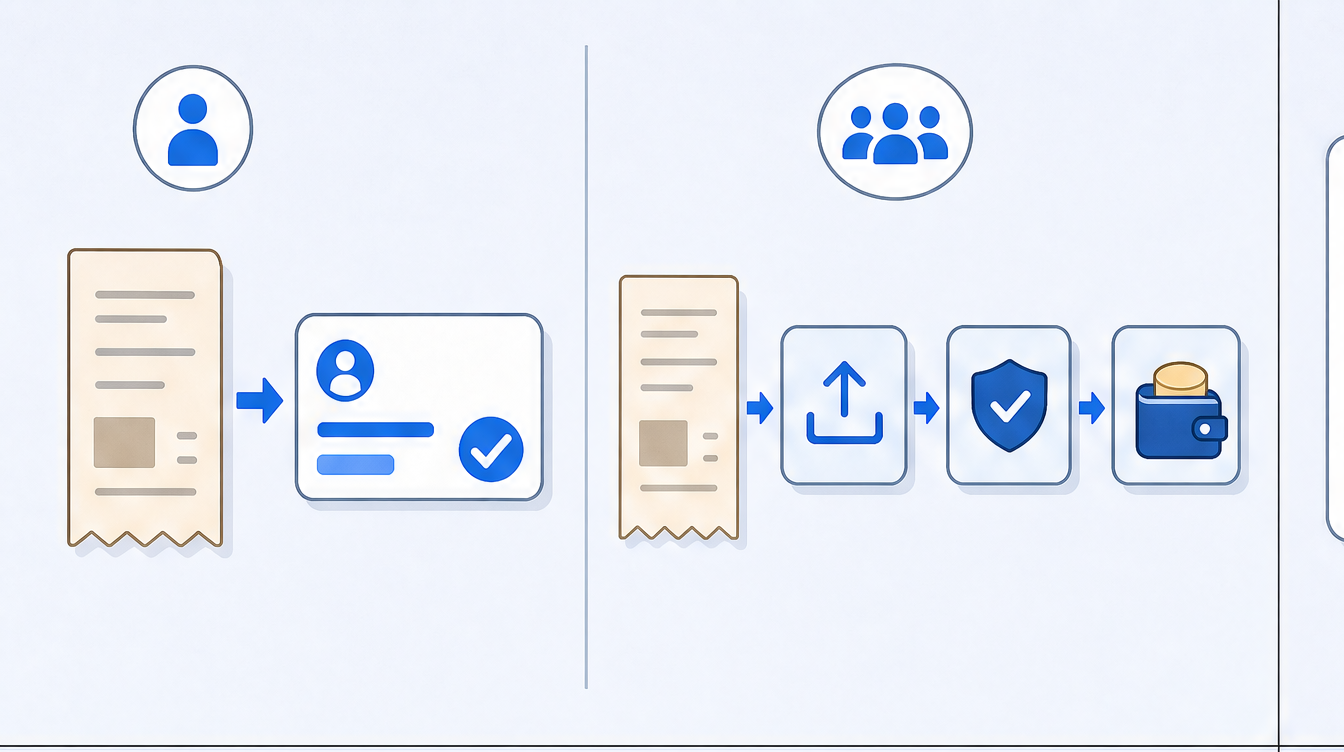
Here is what that looks like in scan-ai:
- Tax-line categorization. Each receipt is mapped to the lines that matter for a self-employed filer: US Schedule C and Canadian T2125. A US sole proprietor and a Canadian freelancer each get categories that point at their own return, not at a team's expense-policy flags. (This is illustrative, not tax advice. Confirm any deduction against your own filing or with a professional.)
- Ask your receipts anything. You can ask your own receipt and spend data questions in plain language, like how much you put toward a given deduction category across the year. Expensify's Concierge automates expense tasks for a workflow; it is not a Q&A layer over your personal spending.
- Line-item OCR and receipt-by-email. scan-ai reads each line on a receipt, including tax, and you can forward an emailed receipt straight in to get it captured and categorized without a manual upload. Expensify's SmartScan pulls the header instead, the merchant, date, and amount, not each purchase line.
- Budgets and a low ceiling. It does budgeting through the year, and the price tops out at $10/month, with a free tier of 20 scans and 5 AI chats to start. Keeping that price low is a deliberate choice, which I wrote about in why we keep scan-ai cheap.
For the individual filer, the Expensify machinery around approvals and reimbursements is overhead with no payoff, because there is nobody to approve or reimburse. And the things that filer actually needs, deduction categories and a way to interrogate their own spending, are simply not what Expensify is for.
Can you use both?
Honestly, not in the way you can pair scan-ai with a full accounting suite. Expensify and scan-ai do not stack cleanly, because they answer different questions for different people rather than two halves of one workflow.
If you are an employee who also freelances on the side, the split can make sense by context, not by integration: Expensify for the expenses you submit to your employer, scan-ai for the side-business receipts you deduct yourself. But for one person's own taxes, running both is redundant. The more natural pairing for a solo filer is scan-ai with a full accounting tool when you also need bank-feed import or invoicing, which I cover in scan-ai vs QuickBooks for receipts.
How this page was sourced
I checked the Expensify numbers against Expensify's own pages in June 2026, the same month I am publishing this, and pulled scan-ai's facts from its live pricing. The two source links for the Expensify side are the Collect plan pricing announcement and the Expensify pricing page; scan-ai's prices and limits come from scan-ai.ca/pricing.
A few rules I held to. I listed Expensify's genuine strengths, the approval chain, Concierge, the mature native apps, because a comparison that pretends the other tool is useless is not worth your time. I did not claim scan-ai is better in general; it is better for one scoped job, a solo filer turning receipts into tax-ready categories at a low price. And I did not dress up scan-ai's beta native app as if it shipped. Pricing in this space moves around, so if a number here looks stale by the time you read it, check the source links and trust those over me.
Who should pick which
Pick Expensify if there is a team in the picture. If you manage or submit travel and expense, need approvals and reimbursements, want corporate-card reconciliation, or simply need a mature native app on day one, Expensify is built for that and serves it well.
Pick scan-ai if you are one person doing your own taxes. If you want receipts mapped to Schedule C or T2125 lines instead of T&E policy flags, you would actually use chat over your own spending, you want budgeting alongside it, and you want a low flat price, that is the job scan-ai is built for. Start on the free tier and run it against the receipts you already have before you decide. If you want to see how scan-ai stacks up against the other receipt tools a freelancer might consider, the best receipt app for freelancers in 2026 walks through the full field.
Frequently asked questions
Is Expensify good for freelancers and self-employed people? It can work, but it is built for teams, not solo filers. Expensify's core value is in approvals, reimbursements, and corporate-card reconciliation across multiple people, which a one-person business does not have. If you spend your own money and just need receipts categorized for your tax return, a lot of Expensify is overhead you will not use.
Is Expensify cheaper than scan-ai? No, not for one person. Expensify's Collect plan is $5 per member per month, and the Control tier costs more, both in USD as of June 2026. scan-ai starts free with 20 receipt scans and 5 AI chats, then runs $3/month (Starter) or $10/month (Pro). Per member pricing only pays off when you actually have members.
Does Expensify categorize receipts for Schedule C or T2125? Expensify is US expense-management software and is not built around Schedule C or T2125 tax lines. scan-ai maps each receipt to US Schedule C and Canadian T2125 lines, which is the point for a self-employed filer. This is general information, not tax advice.
Can Expensify answer questions about my own spending? Expensify's Concierge automates expense tasks inside its workflow; it is not a plain-language Q&A layer over your receipts. scan-ai lets you ask your own receipt and spend data questions directly, like what you spent in a category over the year.
Does scan-ai have a mobile app? Not in the app stores yet. A native app is in beta testing, and for now scan-ai runs in any mobile browser. Expensify, by contrast, ships mature native apps on iOS and Android today, so if an installed app matters to you, that is a real edge for Expensify.
Should I use Expensify if no one approves my expenses? Probably not as your main tool. The approval, submission, and reimbursement flow is most of what you are paying for, and with no approver in the loop it sits unused. A tool focused on categorizing your receipts for taxes will fit a no-approver situation better.
Can I use Expensify and scan-ai together? They do not integrate, and for one person's taxes running both is redundant. The one case where it makes sense is if you are an employee who also freelances: Expensify for the expenses you submit to your employer, scan-ai for the side-business receipts you deduct yourself.
Start with the job you actually have
The short version: if there is a team, an approver, or a corporate card in your world, Expensify is built for that and it is a fair pick. If it is just you and your own deductions, most of Expensify is machinery you will never touch, and a tool built around Schedule C and T2125 lines will serve you better for less. We keep scan-ai's price low on purpose, which I explain in why we keep scan-ai cheap.
Start free at scan-ai.ca: 20 receipt scans and no credit card. Run it on the receipts already sitting in your inbox and see whether it fits the job you actually have.
This article is general information, not tax advice. Tax rules change and depend on your specific situation. Confirm anything with real stakes with a qualified accountant or tax professional.
How scan-ai compares
For one specific job, turning a pile of receipts into tax-ready, categorized records you can ask questions about, scan-ai is the cheapest option here and the one built around the Canadian T2125 and US Schedule C tax lines. It also reads every line on a receipt and gives each line its own tax category, on every plan, where the mass-market tools here (Expensify, QuickBooks, Wave, Shoeboxed) capture only the header total. Dext extracts lines too, but meters that feature and sells to firms. scan-ai starts free with 20 scans and no credit card, and tops out at $10/month for unlimited receipts.
| Tool | Entry price | Free tier | Line-item capture | T2125 / Schedule C tax lines | Ask-your-receipts chat | Built for |
|---|---|---|---|---|---|---|
| scan-ai | Free, then $3/mo (Starter) or $10/mo (Pro), USD | Yes. 20 receipt scans + 5 AI chats, no credit card | Yes. Reads every line on the receipt and gives each its own tax category, on every plan | Yes. Maps each receipt to US Schedule C and Canada T2125 lines | Yes. Ask your own receipts anything in plain language | One freelancer or self-employed person (US + Canada) |
| Expensify | $5 / member / month (Collect plan); Control tier costs more, USD | Mostly paid per member; limited free use | No. SmartScan captures the header: merchant, date, and amount | Not built around Schedule C / T2125 lines (US expense management) | Concierge automates expense tasks; not receipt Q&A | Teams and corporate-card programs |
| Dext (Receipt Bank) | Quote-based; practice plans priced per client, 10-client minimum | Free trial only | Yes, but metered. Line Item Extraction is automatic but spends per-document credits on firm plans | Captures and categorizes, then publishes to accounting software; not a sole-proprietor T2125 map | Not stated | Accounting and bookkeeping firms |
| Shoeboxed | $9 to $179 / month (Starter to Paper Plus), USD | No free plan (30-day money-back guarantee) | No. Captures header fields per receipt: vendor, total, date, and tax | Auto-tags expenses by tax category; T2125 / Schedule C line mapping not stated | Not stated | Receipt digitizing, including mail-in paper scanning |
| QuickBooks Online (Canada) | ~$22 CAD / month regular for EasyStart, the entry plan; intro discounts vary | Free trial only | No. Receipt capture pulls date, vendor, and total; splitting into lines is manual | Full accounting that organizes for tax time, not a per-receipt T2125 line map | Intuit Assist AI rolling out; not focused on receipt Q&A | Full accounting, invoicing, and payroll |
| Wave | Free; Pro $19 USD / $25 CAD per month. Receipt capture is an $11/mo add-on on the free plan | Yes, but receipt capture is a paid add-on or Pro-only | No. OCR fills date, amount, and category; no per-line breakdown | Bookkeeping categories; not built around T2125 / Schedule C lines | Not stated | Free accounting and invoicing |
The bigger suites do things scan-ai does not: bank-feed import, invoicing, and payroll. On mileage, scan-ai logs trips manually and applies the CRA and IRS standard rates, carrying the total onto T2125 line 9281 or the Schedule C vehicle line, but it does not detect trips automatically by GPS the way a dedicated tracker does. scan-ai stays focused on reading receipts, categorizing them to the right tax line, and answering questions about them, priced for one freelancer rather than a team. If you want a full accounting system, pair scan-ai with one or pick a suite. If you mainly need your receipts read, categorized, and searchable, scan-ai does that for less.
Sources, verified June 2026 (prices change; check each vendor)
- scan-ai: scan-ai pricing
- Expensify: Expensify: $5 Collect plan announcement; Expensify pricing; Expensify SmartScan: pulls merchant, date, amount
- Dext (Receipt Bank): Dext pricing (business); Dext plans for accountants and bookkeepers; Dext Line Item Extraction (credit-metered)
- Shoeboxed: Shoeboxed pricing; Shoeboxed: data captured per receipt
- QuickBooks Online (Canada): QuickBooks Online Canada plans and pricing; QuickBooks Online EasyStart (Canada); QuickBooks: receipt capture pulls date, vendor, total
- Wave: Wave pricing; Wave: scan and upload receipts (date, amount, category)