Your Amazon Receipt Isn't One Expense. It's Five.
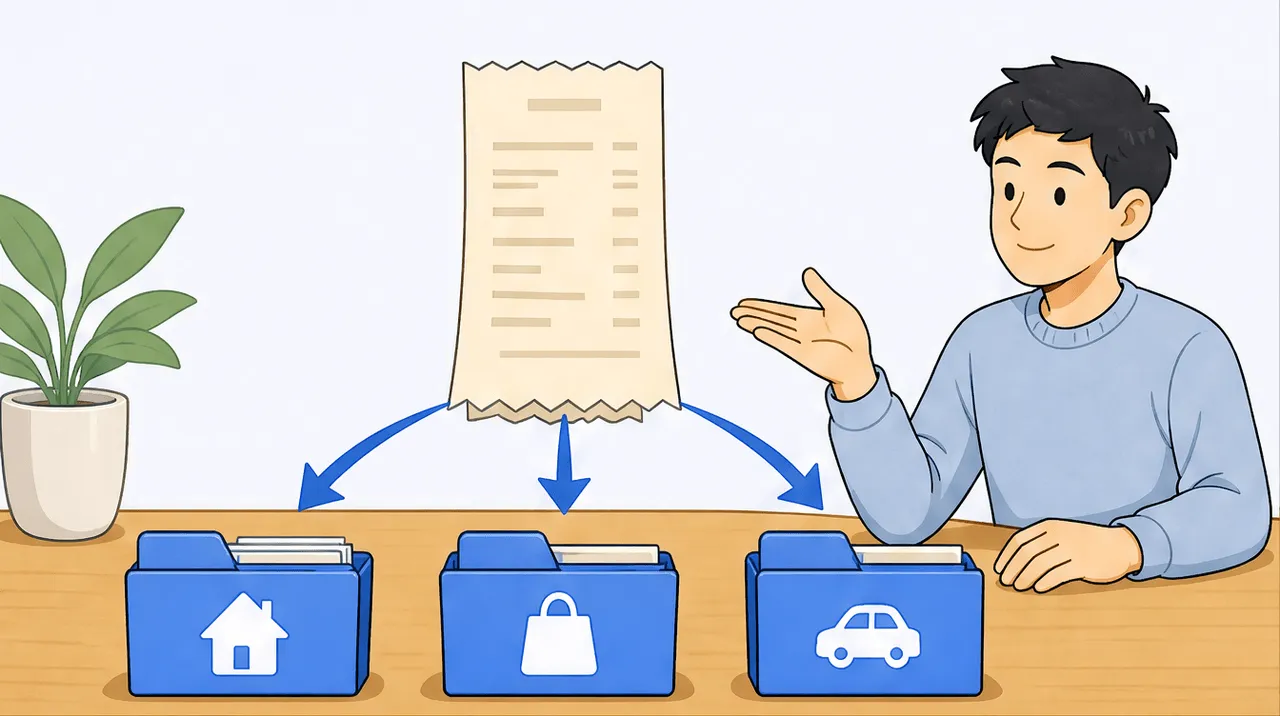
A single Amazon, Costco, or office-store order usually contains several different tax categories, not one. Header-only receipt scanners read only the merchant, date, and total, so the whole order gets filed under one category. Per-line reading looks at each line on the receipt, gives it its own tax category, and maps it to the right Schedule C or T2125 line, so a mixed order is split correctly instead of lumped together.
Look at your last Amazon order. There is a decent chance it has a ream of printer paper, a hard drive, a book you bought to learn a skill, a phone charger, and a box of snacks for the office. To the receipt, that is one transaction with one total. To your taxes, it is at least five different things, and some of them are not deductible at all.
This is the quiet problem with most receipt scanning. The tool reads the merchant, the date, and the total, then files the whole thing under one category, usually whatever the store sells most of. "Amazon, $214.83, Office Supplies." That is tidy, and it is wrong, because that order was not all office supplies. The paper belongs on one tax line, the hard drive on another, the book on a third, and the snacks may not belong on your return at all. When a scanner can only see the header, every mixed order quietly lands in the wrong place.
scan-ai reads the lines, not just the header. Each line on the receipt gets its own tax category, and each one is mapped to its proper US Schedule C or Canada T2125 line. So a single Amazon order becomes the five separate things it actually is, sorted correctly, without you splitting anything by hand. Let me show you exactly what that looks like.
What "header-only" means, and why it matters at tax time
Receipt OCR comes in two depths. Header-only scanners capture the fields at the top and bottom of the receipt: who you paid, when, and how much in total. That is enough to prove a purchase happened, and for a coffee or a single-item buy it is genuinely fine.
It falls apart on mixed orders, which is most of what real freelancers buy. A Costco run, an office-store stock-up, a hardware-store trip, an Amazon cart with six unrelated things: each is one receipt with one total, but several tax categories inside it. A header-only tool has no way to see inside, so it makes one guess for the whole thing. You are left either accepting a wrong category or re-entering the lines yourself in a spreadsheet, which is the manual work the scanner was supposed to remove.
We compared this across the major tools in our receipt-app roundup, and the pattern is consistent: most mass-market scanners read the header only. Reading each line is the harder thing to build, and it is the thing that actually changes your tax outcome.
A real receipt, split line by line
Here is a concrete example. Say you place this Amazon order:
| Line item | Amount | What it really is |
|---|---|---|
| Printer paper, 5 reams | $42.00 | Office consumable |
| External hard drive | $89.00 | Equipment |
| "Designing for the Web" (book) | $38.00 | Professional reference / education |
| USB-C charging cable | $14.00 | Small office equipment |
| Snack variety box | $31.83 | Personal, not a business expense |
A header-only scanner records: Amazon, $214.83, one category. Done, and mis-sorted.
Per-line reading records five lines, each categorized on its own. Here is how those map on a US Schedule C (the same items map to the parallel Canadian T2125 lines, shown for reference):
| Line item | Schedule C line | T2125 line |
|---|---|---|
| Printer paper | 18, Office expense | 8810, Office expenses |
| External hard drive | 13, Depreciation and section 179 | 9936, Capital cost allowance |
| Book / reference | 27a, Other expenses (education) | 8760, Business taxes, licences, memberships |
| USB-C cable | 18, Office expense | 8810, Office expenses |
| Snacks | not a business expense | not a business expense |
Notice what just happened. Four of the five lines are deductible, but on three different tax lines, and the fifth should not touch your return at all. A single-category file would have put all $214.83 somewhere, almost certainly overstating one category and silently claiming a personal snack box as business spend. Per-line reading sorts it the way an accountant would. (The Canadian line catalog is laid out in full in CRA business expense categories for T2125.)
A standing reminder: this categorization organizes your records, it is not tax advice. Whether the book counts as deductible education, or how the hard drive should be depreciated, depends on your facts. Treat the split as a strong first pass and confirm anything with stakes with your accountant.
Where mixed receipts hide
Once you start looking, mixed receipts are everywhere in a freelancer's spending:
- Costco or warehouse stores. Paper towels (maybe personal), a laptop stand (equipment), printer ink (office), coffee for the studio (supplies). One membership card, four categories.
- Office-supply stores. A printer (equipment), the ink for it (office), a desk lamp (office), and a gift card you bought for a client (a different line again).
- Hardware stores for anyone with a workspace: lumber for a set build is a supply, a power tool is equipment.
- The pharmacy or grocery store when you grab packing tape and mailers for orders alongside personal items.
- Amazon, always. The cart is the canonical mixed receipt.
Every one of these is a receipt where the header total tells you almost nothing useful about your taxes. The value is entirely in the lines.
What this saves you
Two things, and both are real.
First, accuracy. Your categories actually reflect what you bought, which means your Schedule C or T2125 totals are closer to right before your accountant ever sees them. Overstating one category and understating another is the kind of mess that turns a 20-minute review into an afternoon, and it is exactly what single-category filing creates.
Second, captured deductions you would otherwise lose. When a $38 reference book is buried inside an "office supplies" Amazon total, it never gets recognized as the education expense it is. When the lines are read, it lands on its own deductible line. Across a year of mixed orders, the lines you would have lumped or dropped add up. If you want to see which categories your specific trade tends to miss, run the deduction finder, then watch for those lines inside your mixed receipts.
And because each line is captured, you keep the detail that actually backs a claim up. Holding the full itemized receipt (not just the card slip) is what supports a deduction if anyone ever asks, which is the whole point of keeping the right receipts.
The short version
A receipt is not one expense just because it has one total. Most of your mixed orders contain several tax categories, and a scanner that only reads the header has to guess at one of them for the whole thing. Reading each line, and giving each line its own tax category, is the difference between records that look organized and records that are actually correct.
Your Amazon receipt was never one expense. It was five. Now they can be filed as five.
Frequently asked questions
Can a receipt scanner split one receipt into multiple tax categories? Most cannot, because they only read the header (merchant, date, total) and assign one category to the whole receipt. scan-ai reads each line on the receipt and gives every line its own tax category, mapped to the right Schedule C or T2125 line, so a mixed order is split automatically.
Why does my whole order get filed under one category? Because a header-only scanner never sees the individual lines. It captures the total and makes a single best-guess category for the entire receipt, which is why a mixed Amazon or Costco order ends up mislabeled.
How do I categorize a mixed Costco or office-store receipt for taxes? Read it line by line. Each item belongs to its own category: equipment on the depreciation line, consumables on office or supplies, anything personal off your return entirely. scan-ai does this split as it scans, but the principle holds whether you do it by hand or with a tool.
What if part of a receipt is personal and part is business? Only the business lines are deductible. Per-line reading lets you keep the personal lines out of your business totals instead of accidentally claiming them inside one lumped category. Mixed personal-and-business orders are exactly where line-level detail matters most.
Is the tax category a tool assigns final? No. It is a first pass that organizes your records, not tax advice. Deductibility and how an item should be treated depend on your situation, so confirm anything with real stakes with your accountant.
Your next step
If your receipts are landing under one tidy-but-wrong category each, the fix is reading the lines. Snap or forward a mixed receipt and watch each line get sorted to its own tax category.
To see which categories your trade tends to leave on the table, start with the deduction finder, then look for those lines inside your next big mixed order.
Start free at scan-ai.ca: 20 receipt scans and 5 AI chats, no credit card. Scan your most cluttered receipt first, the one with six unrelated things on it, and see it split.
This article is general information, not tax advice. Tax rules change and depend on your specific situation. Any tax categorization shown here is illustrative. Confirm anything with real stakes with a qualified accountant or tax professional.