Wave Just Paywalled Your Receipts. Here's the Free Way to Keep Scanning.
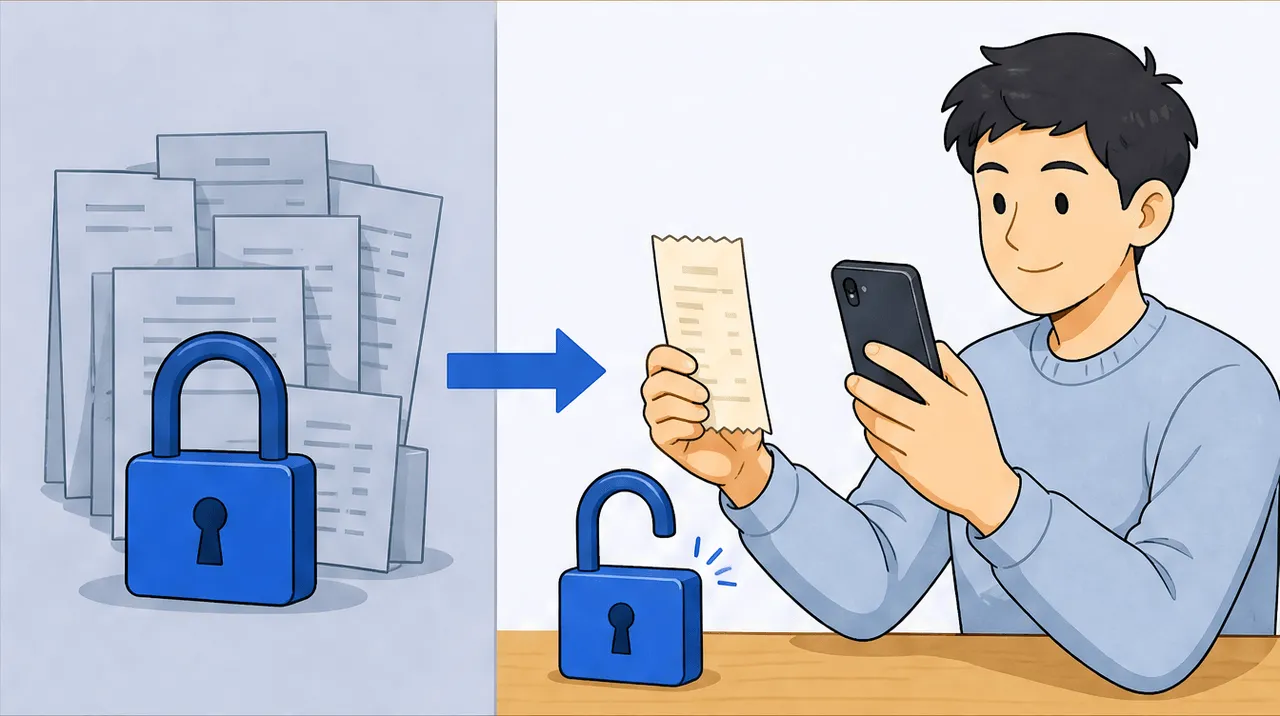
Wave is genuinely good free accounting and invoicing, but receipt scanning is no longer in its free plan: it is now an add-on (about $11 CAD / $8 USD a month) or bundled into Pro at $19 USD a month. If receipts are mainly what you scanned Wave for, you can keep doing that for free with scan-ai (20 scans, no credit card), and you gain per-line reading that Wave's header-only capture does not offer. Keep Wave for the accounting if you use it; just move the receipt step.
If you picked Wave because it was free and it scanned your receipts, you may have noticed the second half of that quietly stopped being true. Receipt capture is no longer part of Wave's free plan. It is now a paid add-on or part of the Pro tier. Nothing else about your Wave account changed, but the one feature a lot of freelancers came for moved behind a price.
Let me be fair before I am useful. Wave is genuinely good software, and I am not going to pretend otherwise to win you over. Its free accounting and invoicing are a real offering: a proper ledger, unlimited invoices, and bank-feed import, all at no cost. That is a generous free plan, and for full bookkeeping it is a legitimately good choice. scan-ai does not do those things and will not claim to.
So this is not "leave Wave." It is narrower and more honest than that: if receipt scanning is the thing you actually used Wave for, that specific job is now paid, and there is a free way to keep doing it that also reads your receipts more deeply than Wave ever did. If you also lean on Wave's accounting, keep it. You are just moving one step out.
What actually changed with Wave receipts
To be precise about the thing that moved, here is the state of Wave's receipt feature as of June 2026, read off Wave's own pages:
- The free Starter plan no longer includes receipt scanning.
- Receipt capture is available as a standalone add-on, listed at about $8 USD / $11 CAD per month.
- Or it comes bundled into the Pro plan at $19 USD / $25 CAD per month.
So the moment receipts are the feature you want, "free Wave" is no longer free. For a single freelancer who mostly opened Wave to photograph receipts, that is roughly $96 to $132 a year for a step that used to cost nothing. If you want to see what the switch is actually worth for your usage, we built a Wave receipts cost calculator that does the math on the add-on versus a free alternative.
Prices in this category move and vary by region and promotion, so treat these as June 2026 figures and let Wave's live page win if something has drifted.
The free way to keep scanning
The honest free path for the receipt job is scan-ai's free tier: 20 receipt scans and 5 AI chats, no credit card. You photograph a receipt or forward it by email, and it gets read and categorized. If you scan beyond the free tier, the paid plans are $3 a month (Starter) or $10 a month (Pro, with unlimited receipts), which is below Wave's receipt add-on and well below Pro.
I want to be careful here, because "free" is exactly the kind of claim that got us into this. scan-ai's free tier is a standing free plan, not a trial that expires, and the reason it can stay that way is structural rather than promotional. (If you want the unglamorous arithmetic behind that, it is in why we keep scan-ai cheap.) The point is not that free beats paid. It is that the receipt step does not have to be the thing you start paying for.
What you gain in the switch, not just what you save
If the only difference were price, this would be a coupon, not an article. The more interesting part is capability, and it cuts in scan-ai's favor on this one specific job.
Wave's receipt capture reads the header: it fills in the date, the amount, and a category for the whole receipt. That is the same header-only approach most receipt tools take, and it is fine for a single-item purchase. scan-ai reads each line on the receipt and gives every line its own tax category, mapped to the right US Schedule C or Canada T2125 line. So a mixed order (the classic Amazon cart with office supplies, a piece of equipment, and a book all on one receipt) gets split into its real categories instead of lumped under one. We walk a concrete example of that in your Amazon receipt is not one expense.
There is also the chat: you can ask your own receipts plain questions ("how much did I spend on software this quarter?") rather than scrolling a ledger. Neither of those is a knock on Wave. They are simply built around different jobs.
Where Wave is still the better tool
This is the part most "alternative" articles skip, so I will be blunt about it: there is a lot Wave does that scan-ai does not, and if you need those things, do not switch.
Wave gives you full accounting, unlimited invoicing, and bank-feed import, where your transactions flow in from your bank automatically. scan-ai has none of that. It does not import bank feeds, send invoices, run payroll, or keep a general ledger. It reads receipts, categorizes them to tax lines, and lets you ask questions about them. That is the whole scope, on purpose.
So the genuine decision tree is short. If you run your books and invoices in Wave and the receipt add-on is a minor line item to you, the simplest move is to keep paying it and stay in one tool. If receipts are most of what you opened Wave for, and the accounting was incidental, moving the receipt step to a free, line-item-aware tool is the better trade. Many people land in the middle and run both: Wave for the ledger and invoices, scan-ai for reading and tax-categorizing the receipts, exported back out. There is no shame in pairing a broad tool with a focused one, and we say so plainly in our Wave-for-receipts comparison. If you are weighing Wave against a full accounting suite instead, QuickBooks vs Wave covers that fork.
The honest comparison
Below is the verified, side-by-side comparison so you can see the trade-off in full rather than take my word for it. Note what scan-ai does not do, named out loud, alongside what it does. Prices were read from each vendor's own page in June 2026 and change, so the live page wins if a figure has moved.
Frequently asked questions
Is Wave receipt scanning still free? No. As of June 2026, receipt scanning is no longer part of Wave's free Starter plan. It is a standalone add-on (about $8 USD / $11 CAD per month) or included in the Pro plan ($19 USD / $25 CAD per month). The rest of Wave's free accounting and invoicing remains free.
How much does Wave charge for receipts now? Roughly $8 USD / $11 CAD per month for the standalone receipts add-on, or it comes bundled into Pro at $19 USD / $25 CAD per month. For a freelancer who only wanted receipt scanning, that is about $96 to $132 a year for a step that used to be free. Figures are as of June 2026 and can change.
What is a free alternative to Wave for receipts? scan-ai has a standing free tier of 20 receipt scans and 5 AI chats with no credit card, and paid plans at $3 or $10 a month if you scan more. It also reads each line on a receipt and tax-categorizes it, where Wave captures the header (date, amount, one category). It does not replace Wave's accounting, only the receipt step.
Do I have to leave Wave to use a different receipt tool? No. You can keep Wave for accounting and invoicing and use a separate tool for receipts, then export the categorized receipts back out. Many freelancers run both. Move the whole account only if Wave's accounting was not the part you used.
Does Wave read receipt line items? No. Wave's receipt capture fills in the date, amount, and a single category for the whole receipt, not the individual purchase lines. scan-ai reads each line and gives it its own tax category, which matters most on mixed orders that contain several categories at once.
Is scan-ai's free tier going to disappear like Wave's did? The free tier is a standing plan, not a trial, and it can stay that way because scan-ai is a small, low-cost operation with no investor pressure pushing prices up. That is the explicit reason the price stays low; the full reasoning is in our pricing write-up.
Your next step
If Wave's receipt paywall pushed you to look around, start with the math: the Wave receipts cost calculator shows what the add-on costs you over a year versus scanning free.
Then, if you want to keep your accounting in Wave, do that, and just move the receipt step. If receipts were the whole reason you were there, the switch is straightforward and you gain line-item reading on the way out.
Start free at scan-ai.ca: 20 receipt scans and 5 AI chats, no credit card. Scan the receipt you would have paid Wave to capture, and see it split line by line.
This article is general information, not tax advice. Tax rules change and depend on your specific situation. Pricing is as of June 2026 and changes; confirm current prices on each vendor's site. Confirm anything with real stakes with a qualified accountant or tax professional.
How scan-ai compares
For one specific job, turning a pile of receipts into tax-ready, categorized records you can ask questions about, scan-ai is the cheapest option here and the one built around the Canadian T2125 and US Schedule C tax lines. It also reads every line on a receipt and gives each line its own tax category, on every plan, where the mass-market tools here (Expensify, QuickBooks, Wave, Shoeboxed) capture only the header total. Dext extracts lines too, but meters that feature and sells to firms. scan-ai starts free with 20 scans and no credit card, and tops out at $10/month for unlimited receipts.
| Tool | Entry price | Free tier | Line-item capture | T2125 / Schedule C tax lines | Ask-your-receipts chat | Built for |
|---|---|---|---|---|---|---|
| scan-ai | Free, then $3/mo (Starter) or $10/mo (Pro), USD | Yes. 20 receipt scans + 5 AI chats, no credit card | Yes. Reads every line on the receipt and gives each its own tax category, on every plan | Yes. Maps each receipt to US Schedule C and Canada T2125 lines | Yes. Ask your own receipts anything in plain language | One freelancer or self-employed person (US + Canada) |
| Expensify | $5 / member / month (Collect plan); Control tier costs more, USD | Mostly paid per member; limited free use | No. SmartScan captures the header: merchant, date, and amount | Not built around Schedule C / T2125 lines (US expense management) | Concierge automates expense tasks; not receipt Q&A | Teams and corporate-card programs |
| Dext (Receipt Bank) | Quote-based; practice plans priced per client, 10-client minimum | Free trial only | Yes, but metered. Line Item Extraction is automatic but spends per-document credits on firm plans | Captures and categorizes, then publishes to accounting software; not a sole-proprietor T2125 map | Not stated | Accounting and bookkeeping firms |
| Shoeboxed | $9 to $179 / month (Starter to Paper Plus), USD | No free plan (30-day money-back guarantee) | No. Captures header fields per receipt: vendor, total, date, and tax | Auto-tags expenses by tax category; T2125 / Schedule C line mapping not stated | Not stated | Receipt digitizing, including mail-in paper scanning |
| QuickBooks Online (Canada) | ~$22 CAD / month regular for EasyStart, the entry plan; intro discounts vary | Free trial only | No. Receipt capture pulls date, vendor, and total; splitting into lines is manual | Full accounting that organizes for tax time, not a per-receipt T2125 line map | Intuit Assist AI rolling out; not focused on receipt Q&A | Full accounting, invoicing, and payroll |
| Wave | Free; Pro $19 USD / $25 CAD per month. Receipt capture is an $11/mo add-on on the free plan | Yes, but receipt capture is a paid add-on or Pro-only | No. OCR fills date, amount, and category; no per-line breakdown | Bookkeeping categories; not built around T2125 / Schedule C lines | Not stated | Free accounting and invoicing |
The bigger suites do things scan-ai does not: bank-feed import, invoicing, and payroll. On mileage, scan-ai logs trips manually, applying the IRS standard rate to US trips and totalling business kilometres for Canadian ones, but it does not detect trips automatically by GPS the way a dedicated tracker does. scan-ai stays focused on reading receipts, categorizing them to the right tax line, and answering questions about them, priced for one freelancer rather than a team. If you want a full accounting system, pair scan-ai with one or pick a suite. If you mainly need your receipts read, categorized, and searchable, scan-ai does that for less.
Sources, verified June 2026 (prices change; check each vendor)
- scan-ai: scan-ai pricing
- Expensify: Expensify: $5 Collect plan announcement; Expensify pricing; Expensify SmartScan: pulls merchant, date, amount
- Dext (Receipt Bank): Dext pricing (business); Dext plans for accountants and bookkeepers; Dext Line Item Extraction (credit-metered)
- Shoeboxed: Shoeboxed pricing; Shoeboxed: data captured per receipt
- QuickBooks Online (Canada): QuickBooks Online Canada plans and pricing; QuickBooks Online EasyStart (Canada); QuickBooks: receipt capture pulls date, vendor, total
- Wave: Wave pricing; Wave: scan and upload receipts (date, amount, category)